Game-based Trainers for the English Course
Work case
- My role
- Solo product designer. Discussion of the process and layouts with other designers
- Team
- Other designers, graphic designer, curriculum specialists, manager, frontend and backend developers, analyst
Context
Amakids is an after-school education platform for children aged 5 to 14, offering both online and offline courses in various school subjects and beyond – for example, financial literacy and more.
The team was preparing to launch a new English course. The course is divided into four levels, with the difficulty of the material and assignments matching the child’s English proficiency.
I joined the project at the very start of course development as the sole product designer and took it to the MVP stage. I designed the “Challenge” and “Games” sections. They are part of the English course and were created to review the material covered in lessons.
Problem
Traditional homework is often done reluctantly, with minimal knowledge retention. Tasks are monotonous—underline, fill in, etc.—and quickly become boring for the child. Without a clear sense of achievement, motivation drops. Game-based trainers turn completing assignments into an engaging process. The child receives a goal and instant feedback, which keeps their interest. Alongside knowledge, they also develop attention and thinking skills.
Task
- Design the platform navigation.
- Design the “Challenge” and “Games” homework sections.
Process
- Together with the curriculum specialists, reviewed the games, determined their display on mobile devices, and updated the documentation.
- Researched the audience’s interests and hobbies, analyzed competitors and previous company courses.
- Built the information architecture, sketched concepts and screen flows, and got them approved.
- Worked with developers to define core interface elements and began building the UI kit.
- Learned from the analyst the common screen sizes for desktop, tablet, and mobile.
- Designed layouts for the platform, the Challenge section, and game-based trainers using an atomic UI kit.
- Conducted design reviews as the games were implemented and released them in the MVP
Target audience
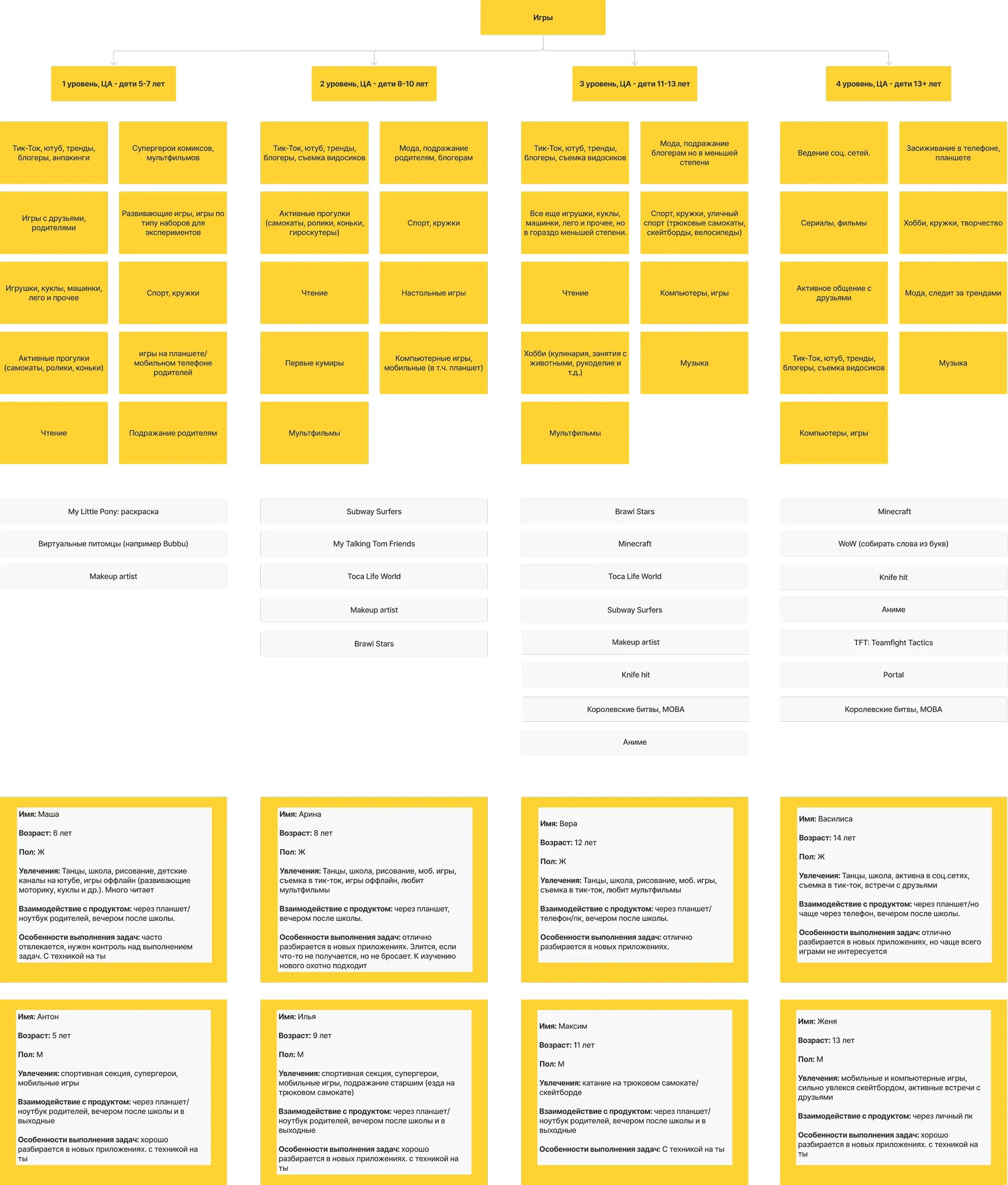
The company already had an existing audience, so I used the segmented student groups to identify their interests. With tight deadlines, I limited my research to asking my nieces and searching online. Then I created proto-personas for each segment and defined how they interact with the product and with the technology.
Screen flow
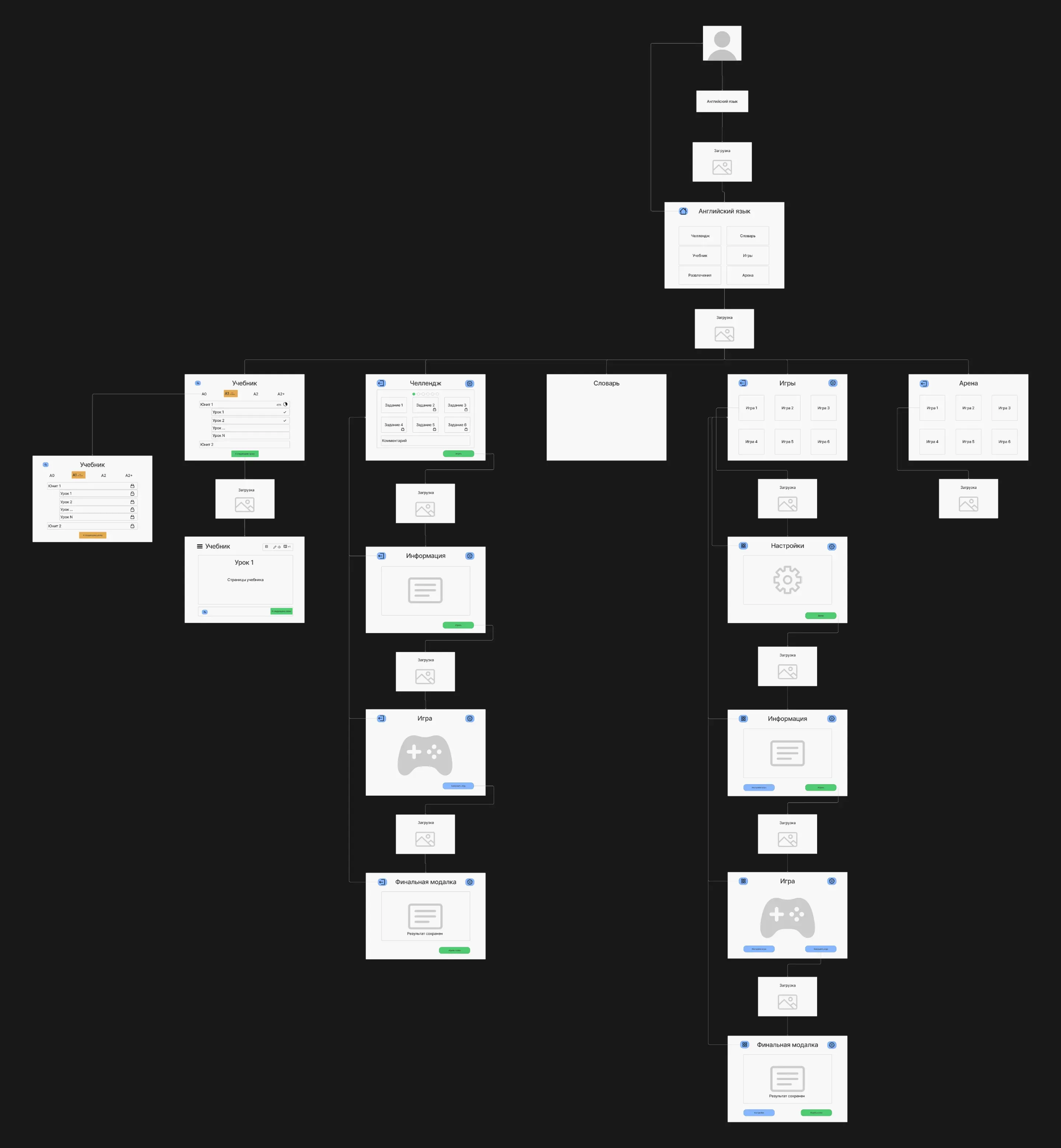
I assembled the screen flows based on the information architecture diagram and the sketches.
User flow: Completing the homework assignment
User flow with different entry points to the English vocabulary trainer:
- Via the teacher’s assignment. After the lesson, the teacher creates a homework task in their dashboard, specifying the words covered in class. The student launches the trainer with that word set from the Vocabulary.
- Random word set. The user independently starts the trainer with a random selection of words from various topics for extra practice.
- From a chosen word set. The user selects a specific themed word set and launches the trainer with only those words
Solution
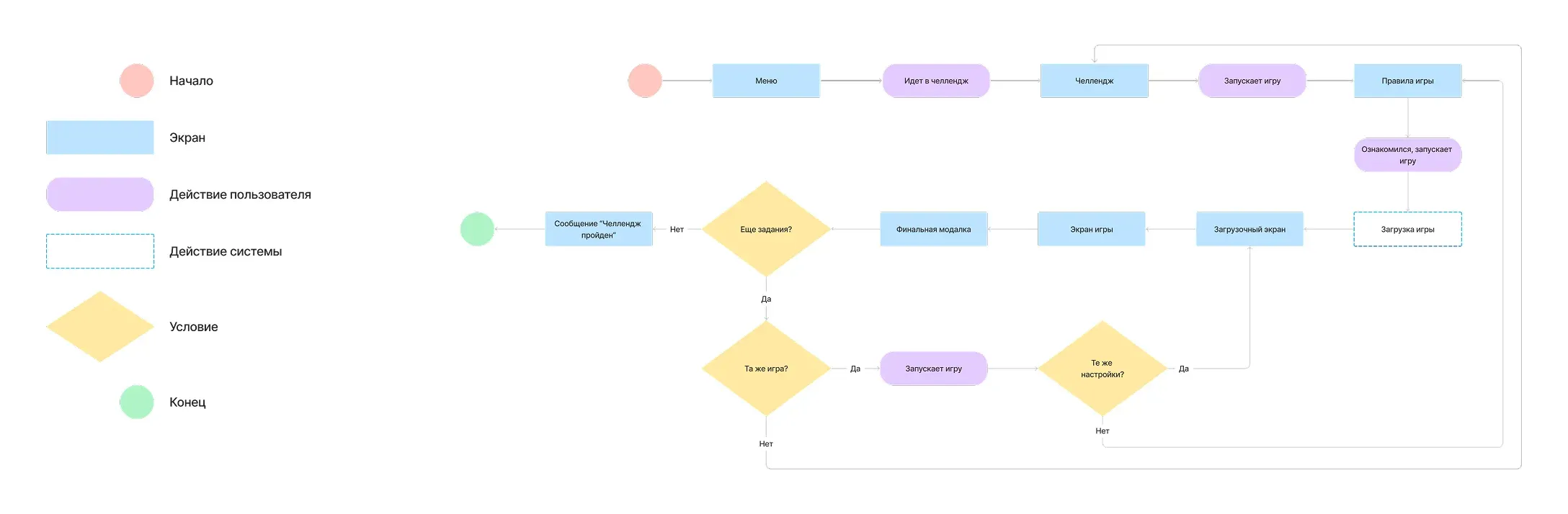
Happy path
The student completes the homework assigned by the teacher after an online or offline lesson. They enter this flow from the platform menu.
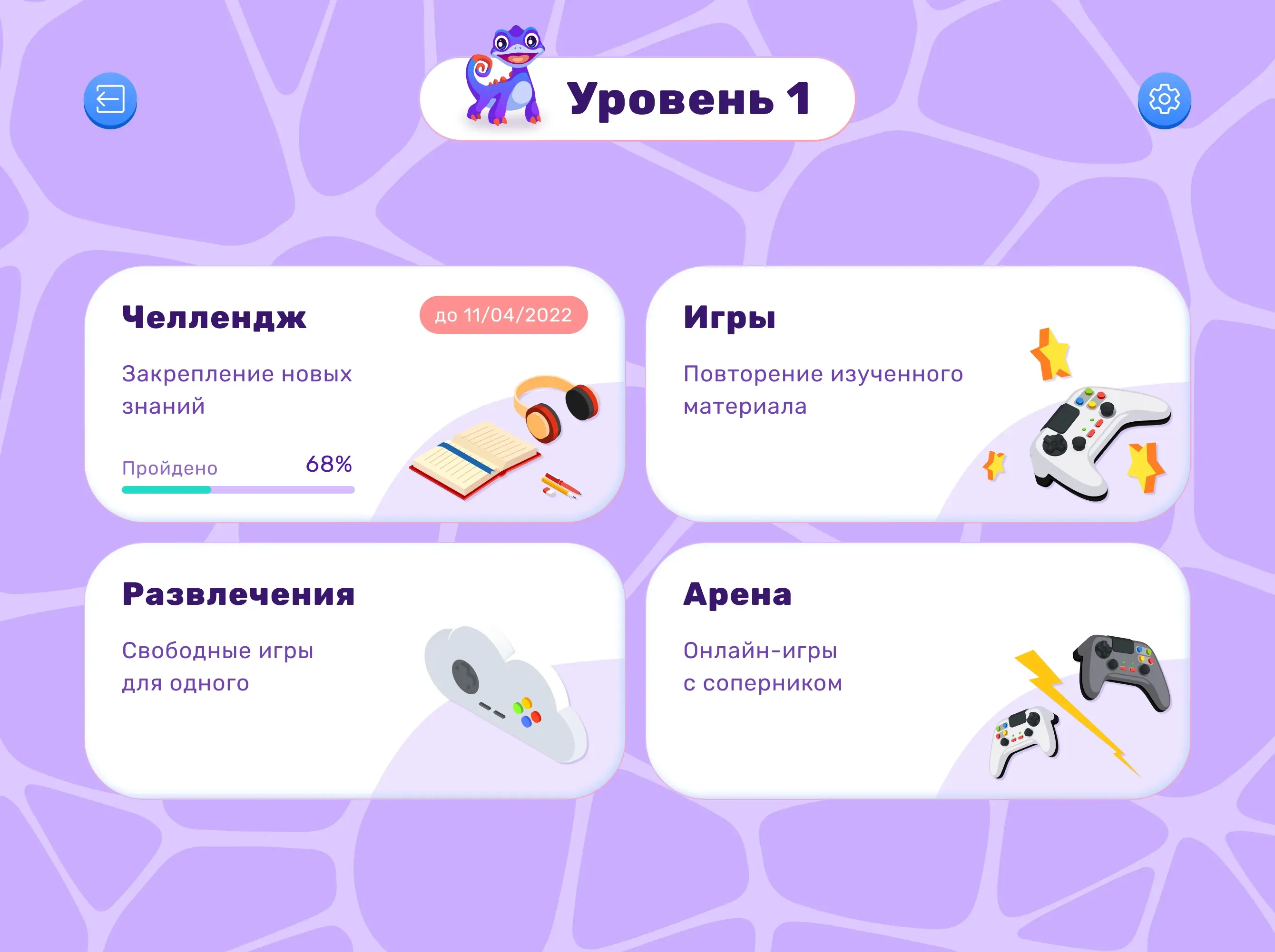
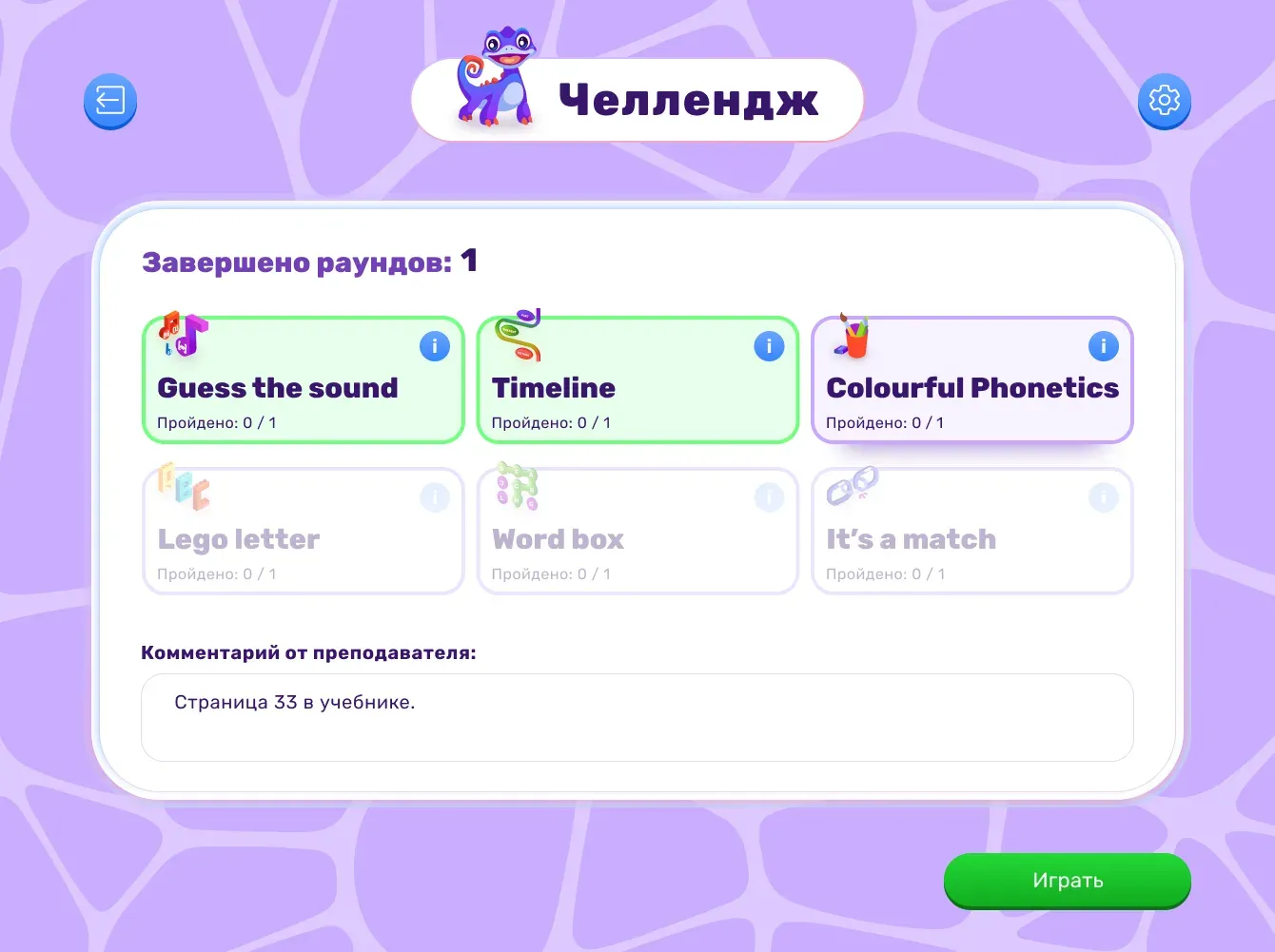
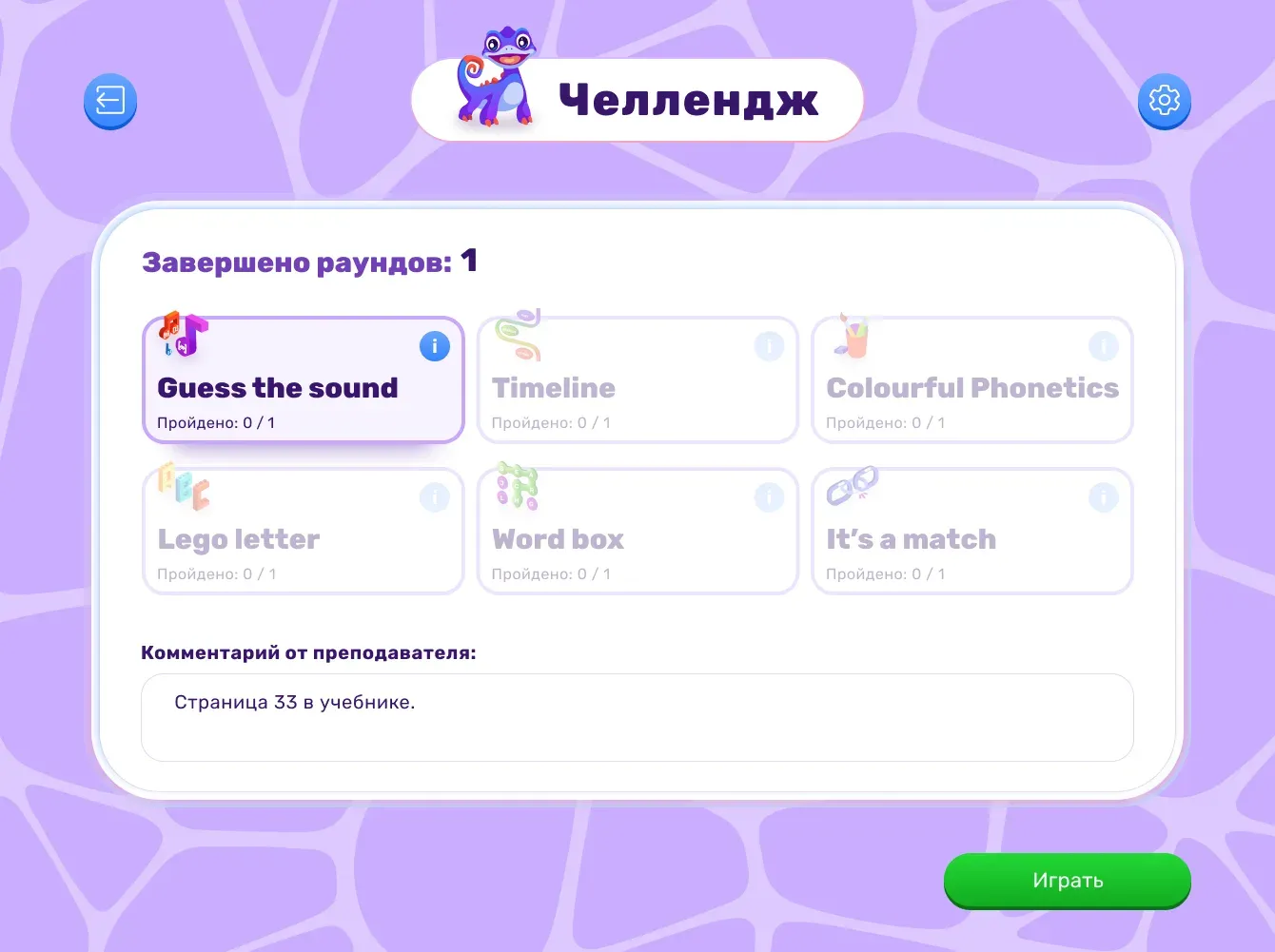
When entering the Challenge, the student is offered up to six game-based trainers. The teacher selects them in their dashboard, assigning individual settings for each.
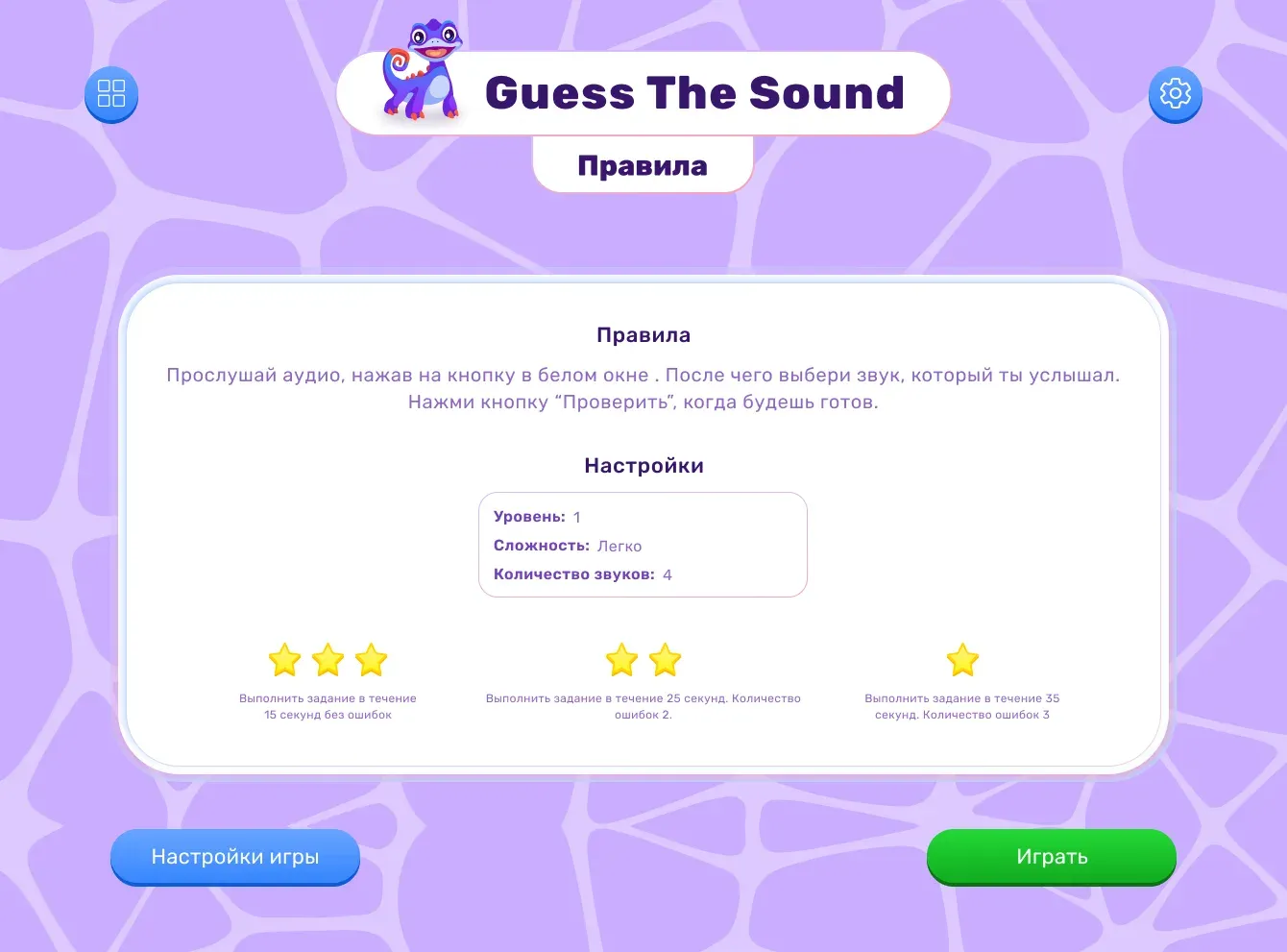
The student reviews the trainer rules. The list of settings configured by the teacher is also displayed here.
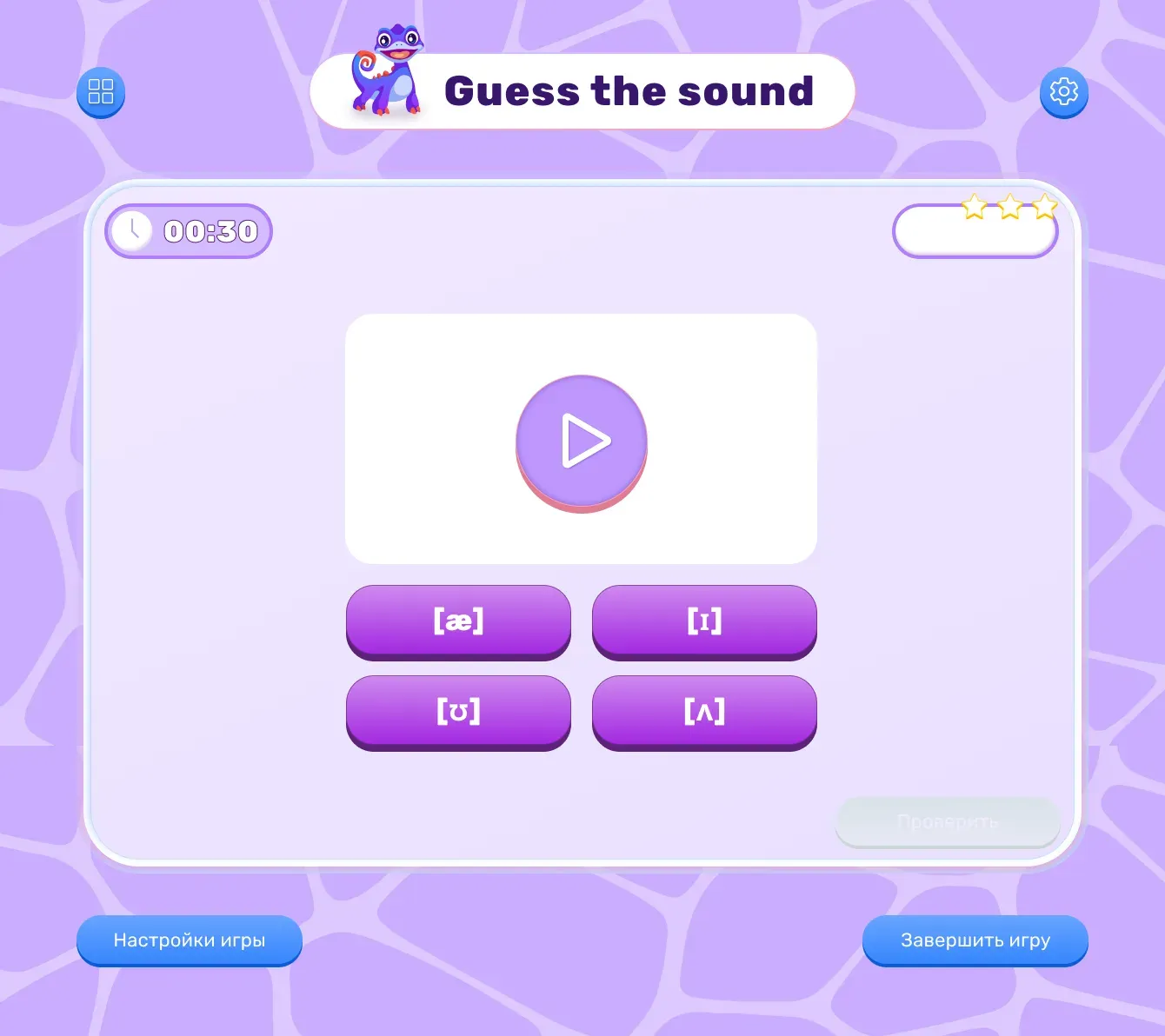
After that, the student clicks the “Play” button and goes through the trainer.
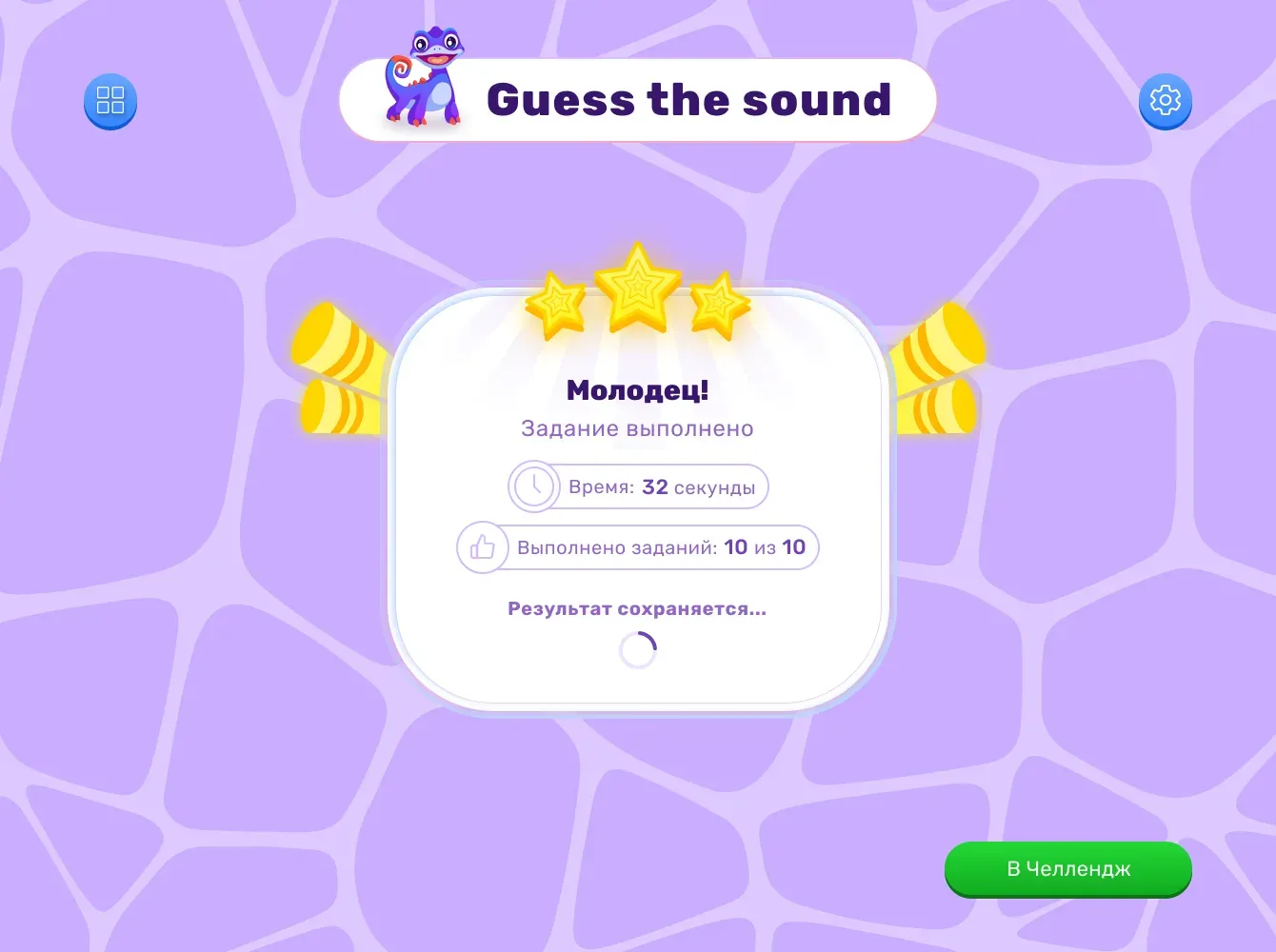
After completing the game, the student is shown their result.
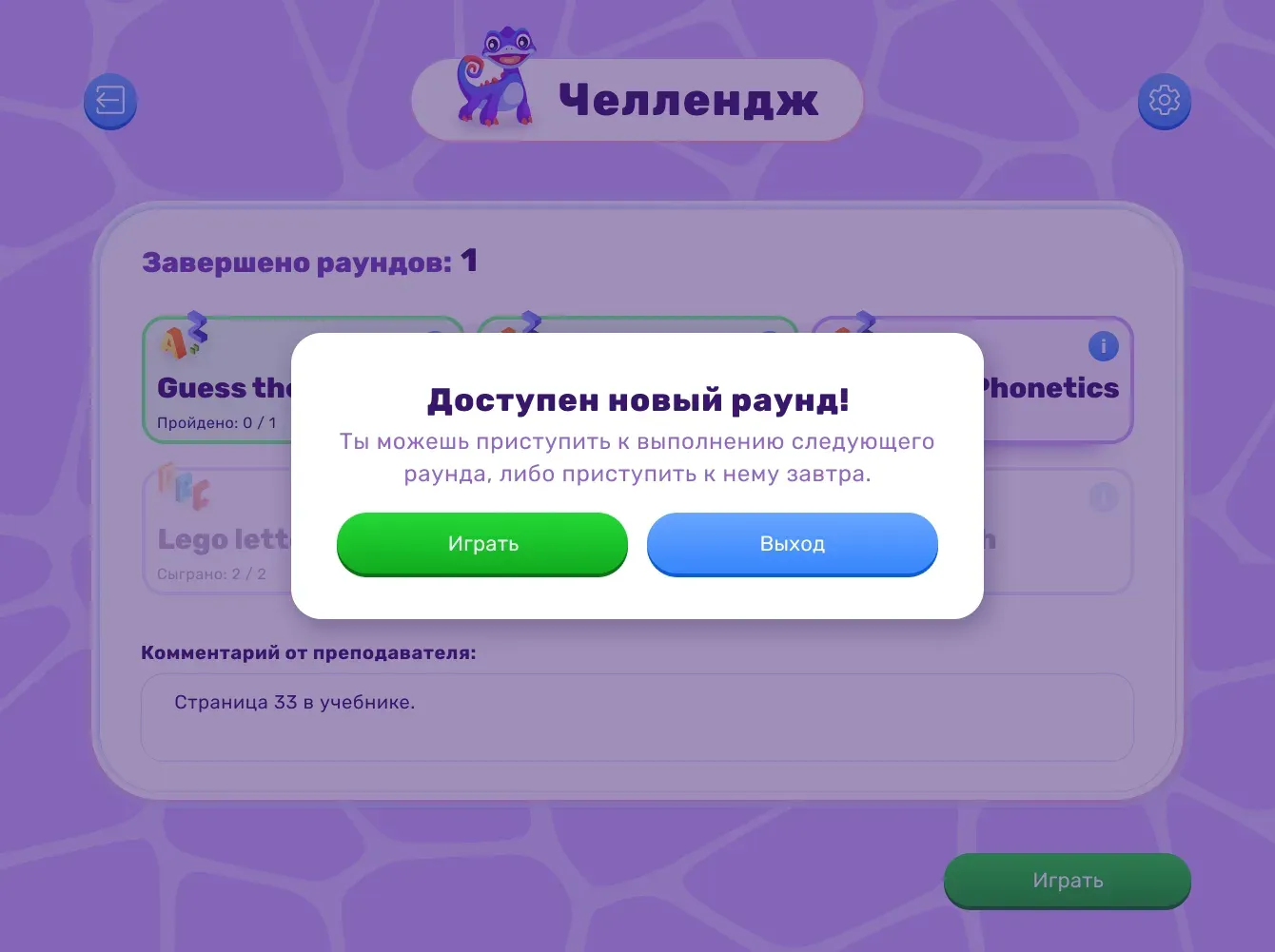
After that, the student returns to the Challenge, where they are offered to start a new trainer or come back to the Challenge later if they want to take a break.
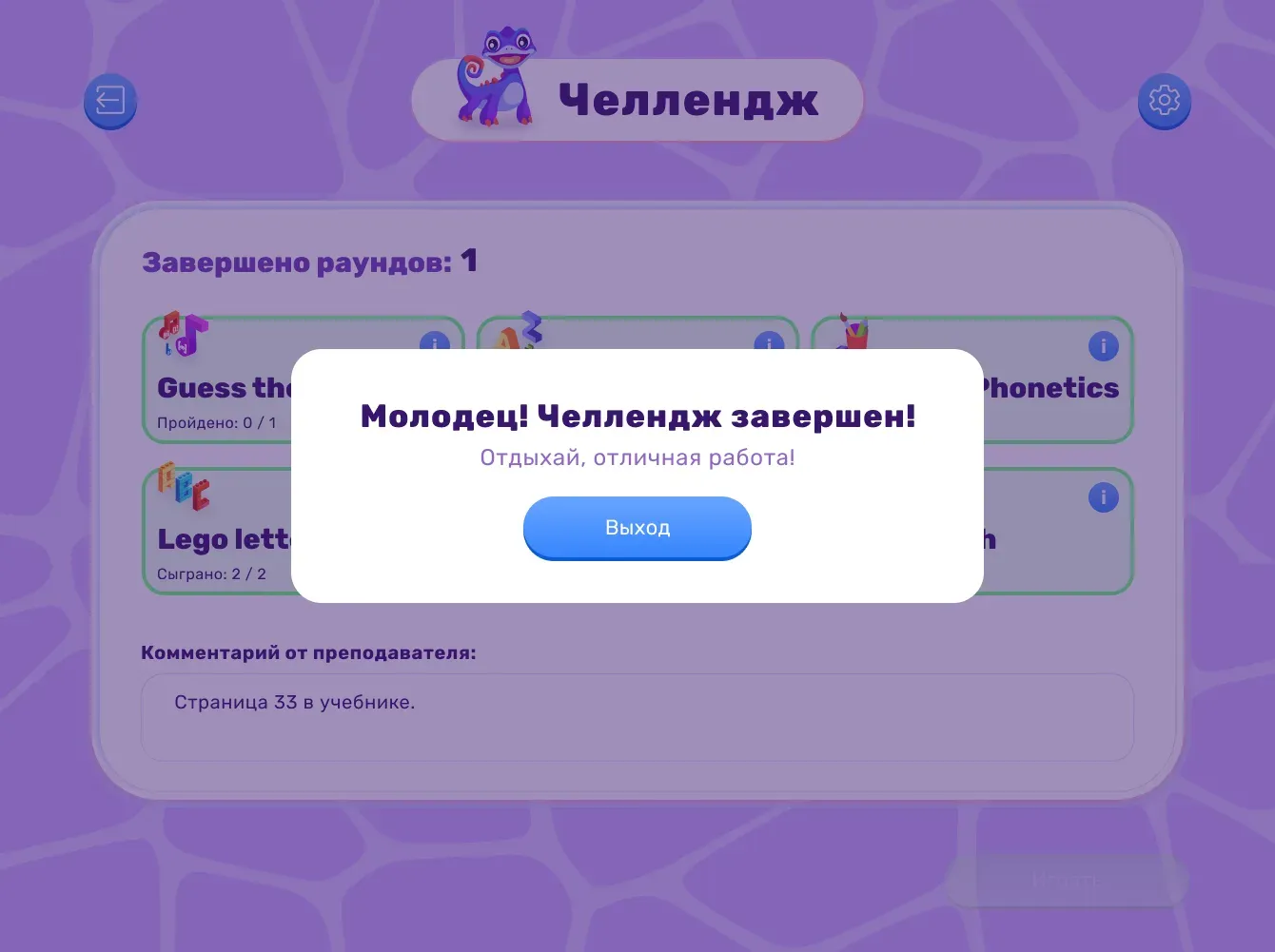
Screen displayed when the student completes the Challenge.
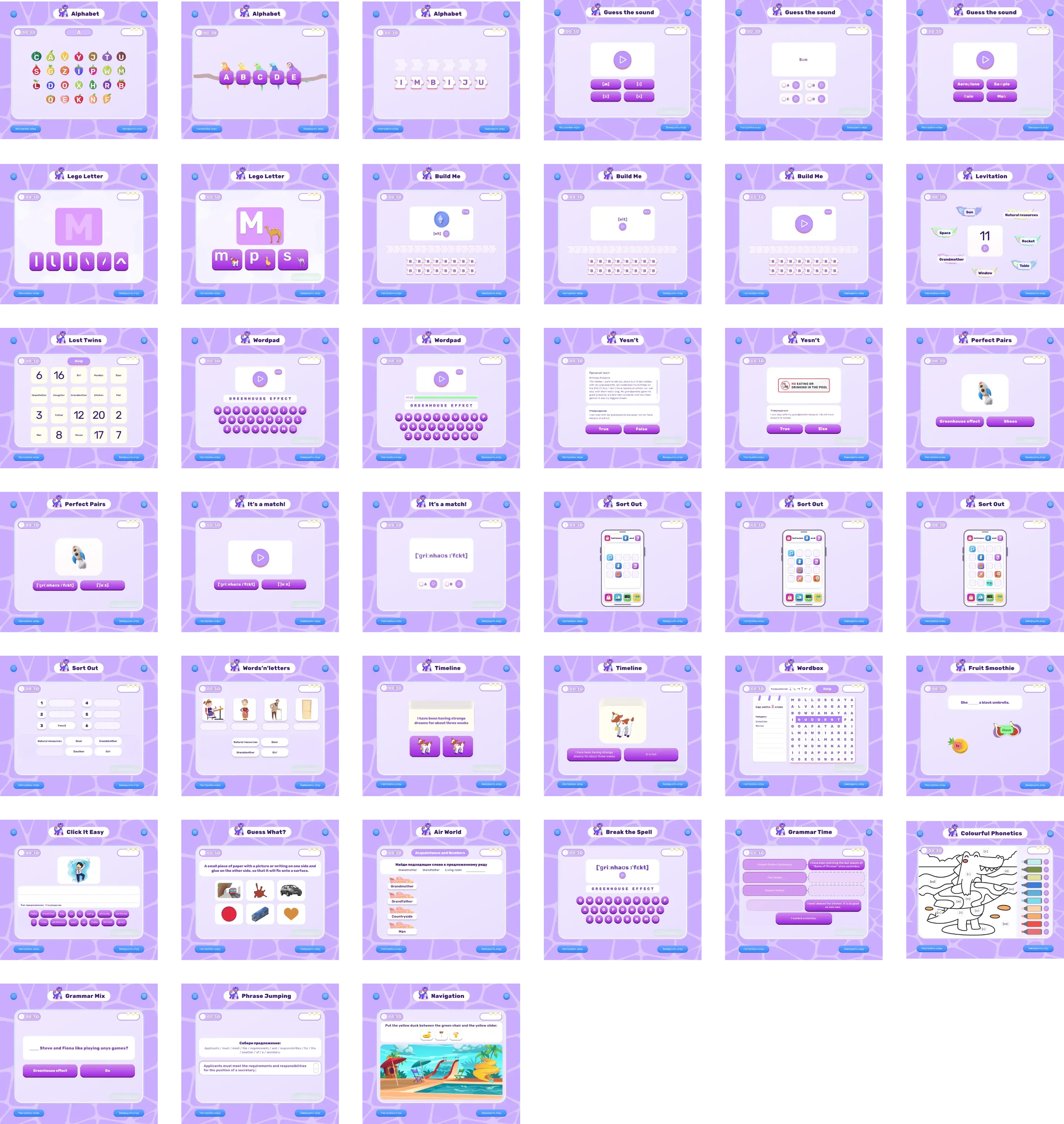
List of games
39 games were created during the course development. Each one develops a specific skill or set of skills.
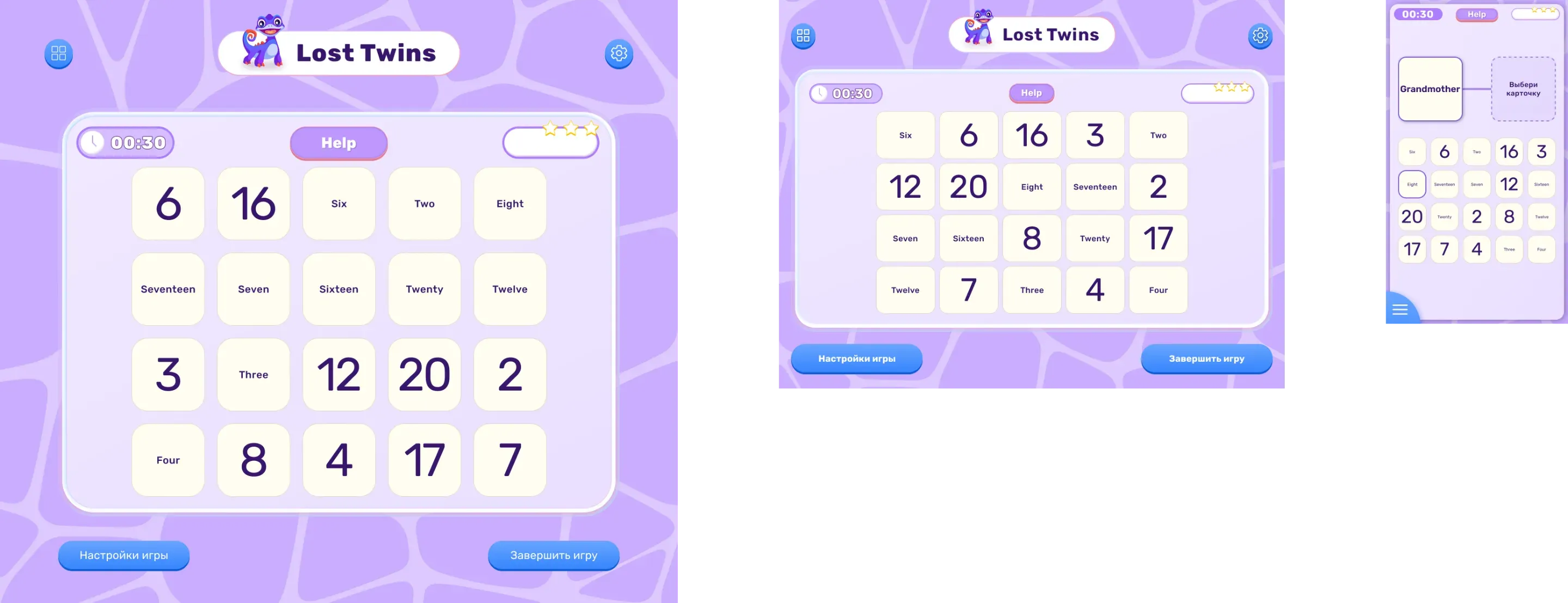
Responsive layouts
Created mobile-responsive layouts for each game and platform.
Component library
Spacing system
To simplify the developers’ work, I created a spacing system.

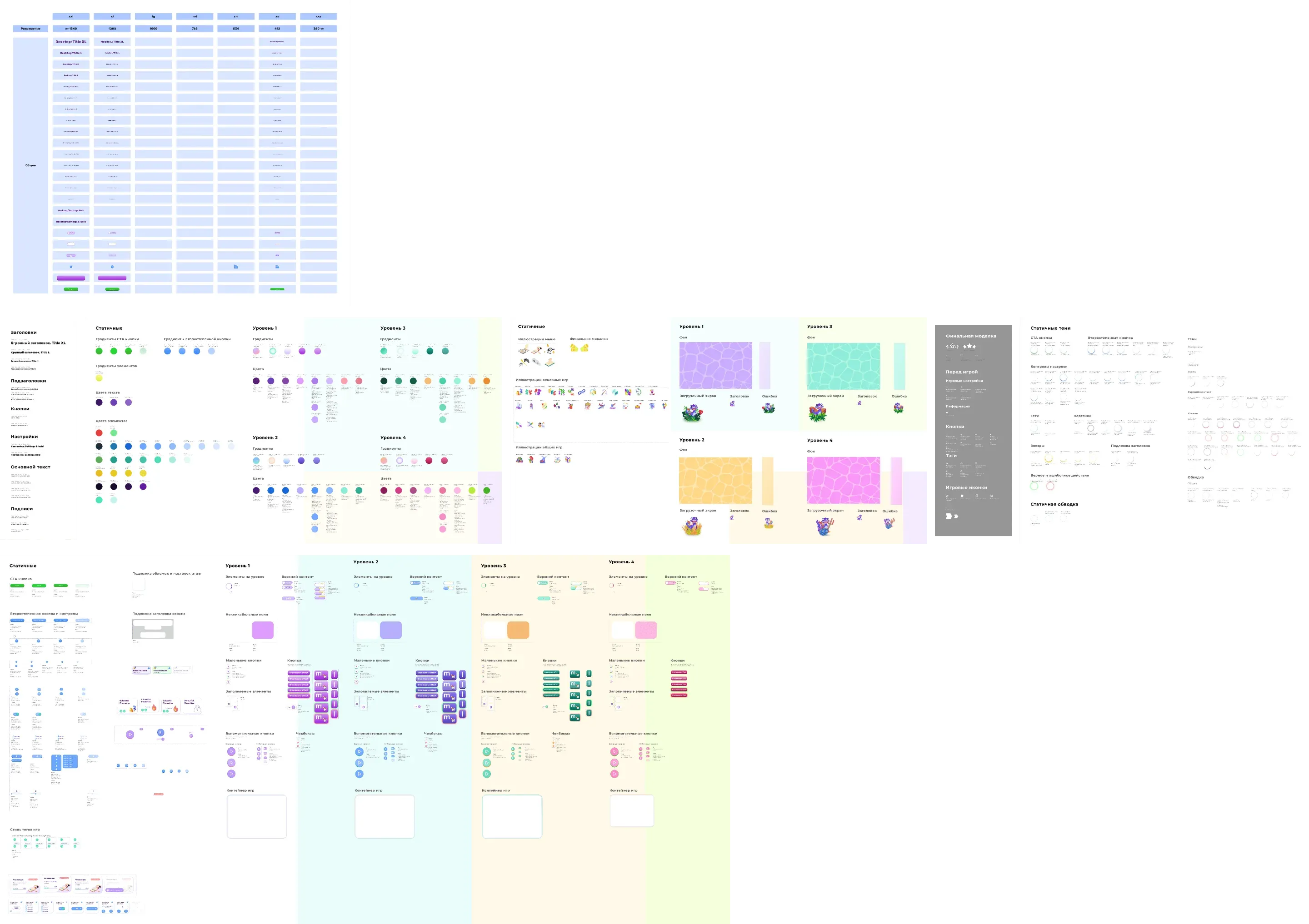
Atomic UI-kit
Since the course has four color schemes—one for each level—there were difficulties naming the colors and organizing the UI kit. As a result, I created an atomic design UI-kit.
Results
Accessibility
The Challenge involves providing targeted support to individual students on specific topics. This means that if a teacher notices Student A falling behind on the “Numbers” topic, they will assign them a personalized trainer to practice that topic.
Interactivity
It’s not boring homework with exercises, but games that teach and engage the student in the process.