Vocabulary learning trainer
Work case
- My role
- Solo product designer. Discussed process and layouts with other designers
- Team
- Other designers, graphic designer, curriculum specialists, manager, frontend and backend developers, analyst
Context
Amakids is an after-school education platform for children aged 5–14, offering both online and offline courses in school subjects and beyond — including topics like financial literacy.
I designed the Vocabulary tool for iterative word learning. It became part of the English course textbook and was created using the textbook’s design system to ensure visual and functional consistency.
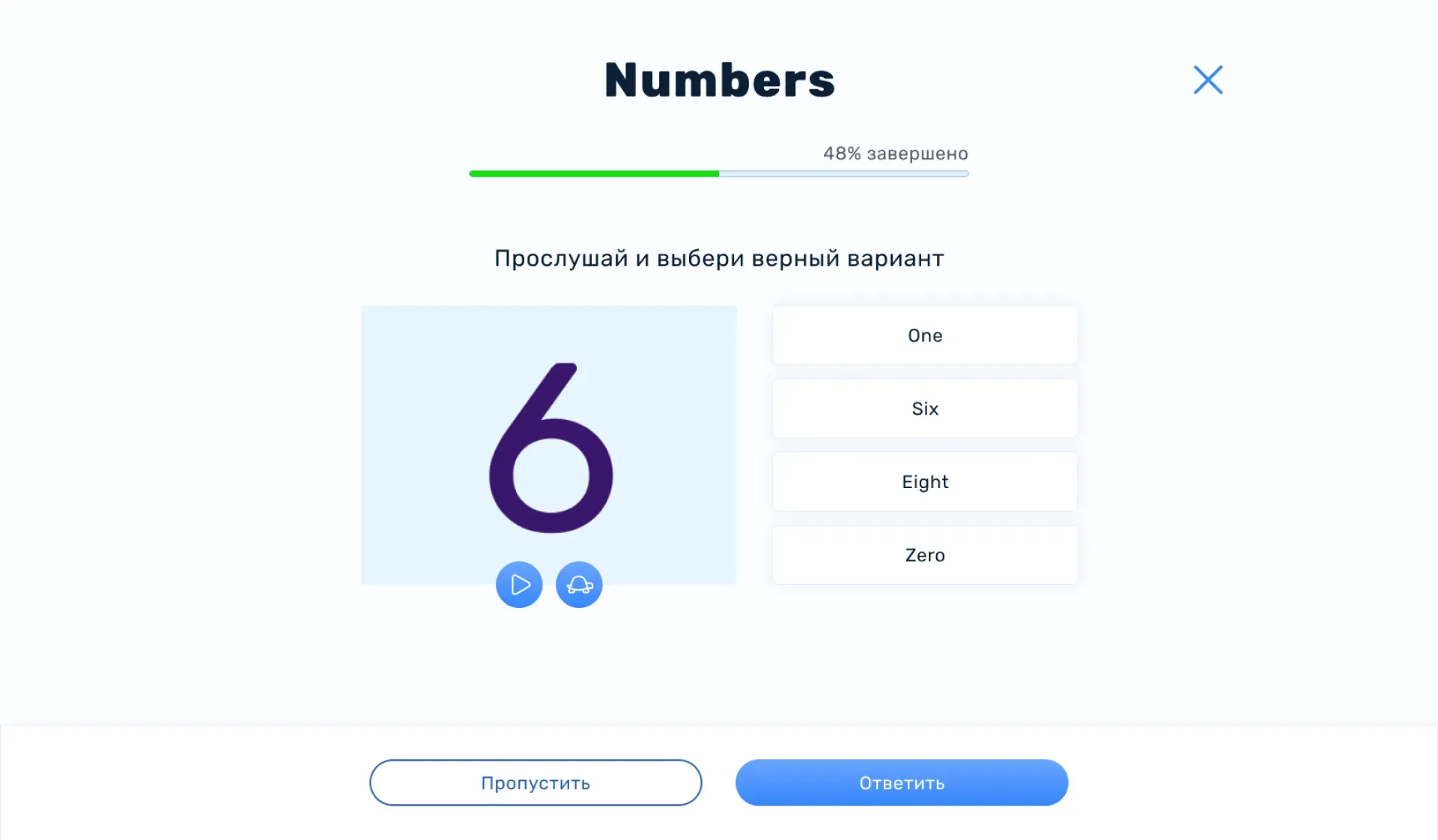
The Vocabulary section is a word practice trainer that supports different memorization methods: listening, choosing the correct translation, or typing it
Problem
Students aged 5–16 often don’t remember or use new words in class because existing repetition formats don’t match their individual pace, interests, or language level. Teachers have limited ability to personalize tasks for each student, which leads to lower engagement and shallow vocabulary retention
Task
Design an interface for a vocabulary trainer used as homework, where students practice with word sets assigned by their teacher. The interface should track each student’s individual progress with each word and adapt the frequency of word repetition in future sessions accordingly. It’s important to maintain consistency with the main textbook by using the existing design system.
Design process
- Analyzed how competitors approach vocabulary learning, identified strengths and weaknesses, and studied iterative vocabulary-building methods
- Wrote user stories and scenarios, and built user flows
- Created wireframes and organized them by scenario
- Studied the design system of the Textbook section the trainer belongs to
- Created layouts based on the design system and adapted them for tablet and mobile
- Mapped final layouts to user scenarios and built a prototype
- Handed off to development and conducted a design review
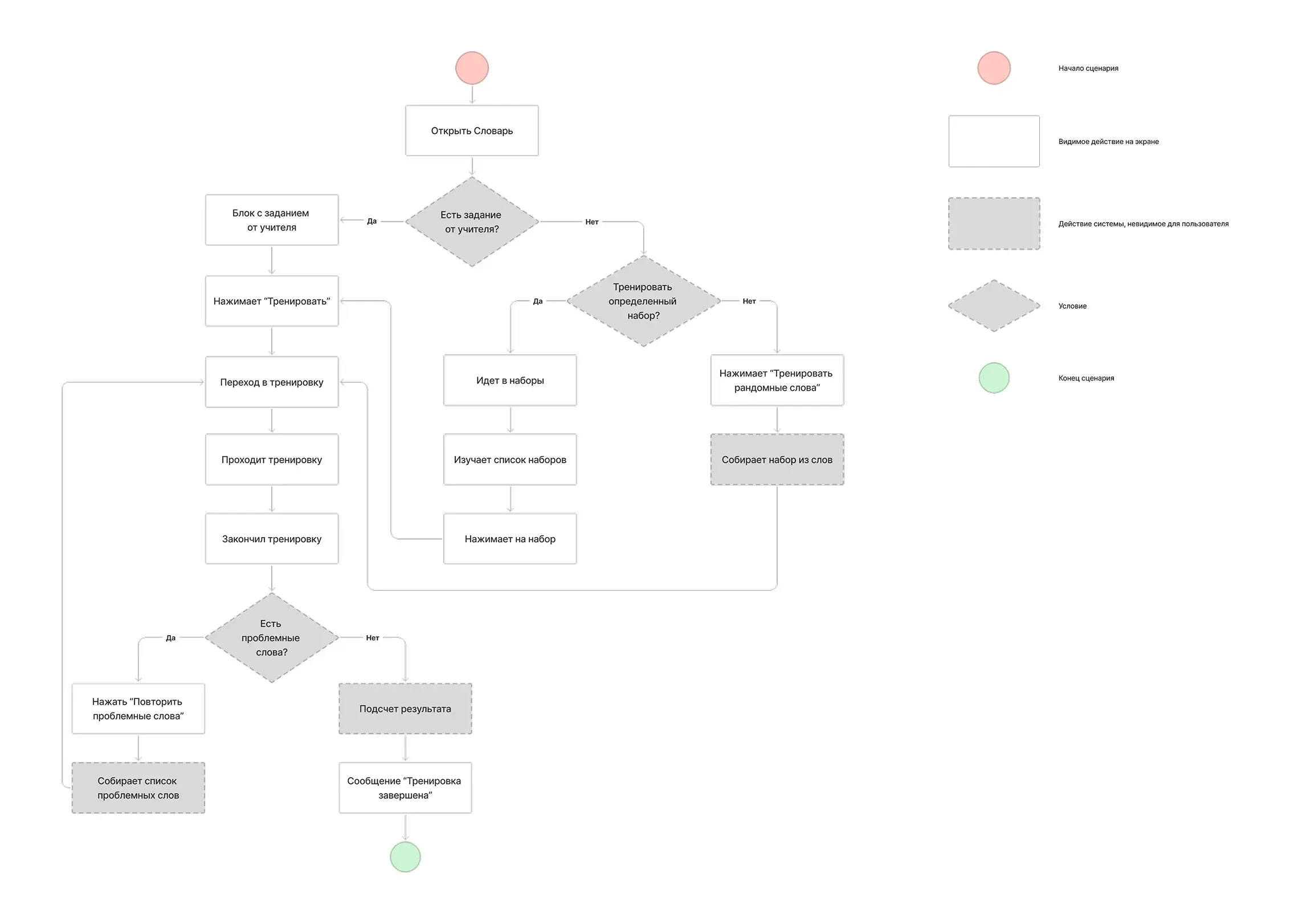
User flow: Word training
User Flow: Entry Points to the English Vocabulary Trainer
- Via Teacher’s Assignment. After the lesson, the teacher creates a homework task in their dashboard by selecting the words covered in class. The student launches the trainer with this specific word set from the Vocabulary section.
- Random Word Set. The user independently starts the trainer with a random set of words from various topics for additional practice.
- From a Selected Word Set. The user chooses a specific themed word set and launches the trainer using only those selected words
Solution
Happy path
The teacher assigns homework. The user accesses it from the main page of the Vocabulary section.
Figma
Results
Accessibility
The vocabulary tool tracks each student’s performance and progress, selecting words for training individually by mixing difficult words with the rest.
Interactivity
Includes various task types, adding variety and maintaining engagement in the trainer.